
Harntung
🇬🇧 EN
Split Bills & Expenses Easily 🤑
Split bills, drinks, trips and expenses all in one place. Free online calculator, no app download needed.
✨ Harntung Pro
No ads, 20 free AI bill scans a month, and every free-tier limit unlocked — starting at 199 THB/$6.99 a year.
Eating differently, dividing differently
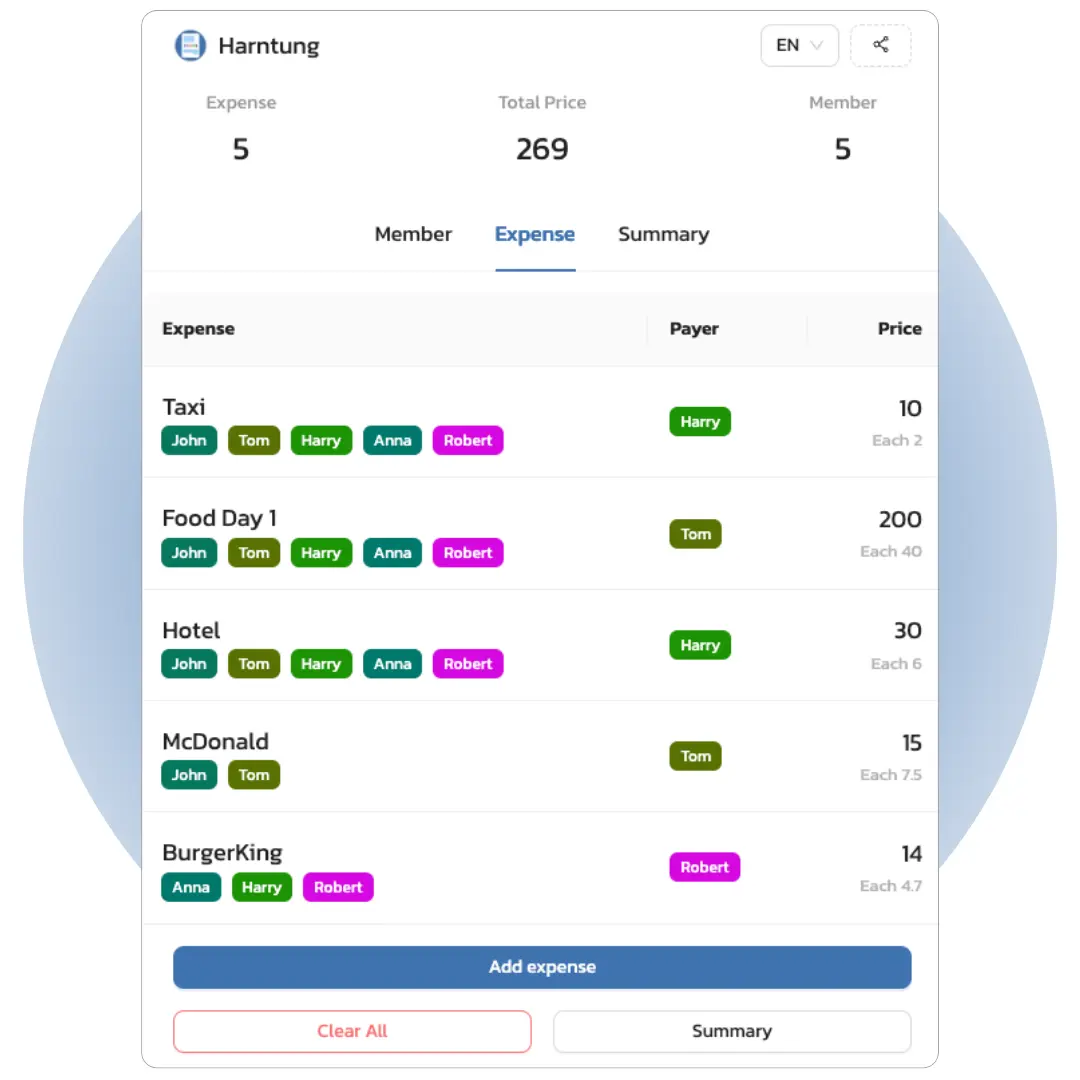
Have you ever? Go traveling with friends, then have a headache when dividing up the various expenses. It takes all day to get it cleared up. Turn a difficult situation into an easy one, use Harntung to calculate expenses in your group. It helps you avoid headaches and have more time to live life. No matter what you're dividing, you can use Harntung.
Whether you're splitting a dinner check, tracking shared rent, or figuring out who owes what after a group trip, Harntung handles it all. Just paste a link in your group chat and everyone can see the breakdown in real-time. No more awkward money conversations or messy spreadsheets. Works on any device, any browser, and supports 17 languages.
Key Features
💆♂️
Easy to use, convenient, free. No registration or app required. Works on desktop, mobile and tablet.
👥
Has a collaboration system, can share a link for friends to help
🛎
Supports calculation of service charge and VAT
⚖️
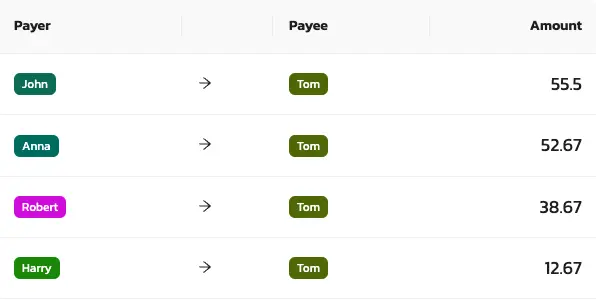
Shows how to clear expenses by transferring the minimum number of times
📊
Can divide proportionally for each item
🏦
Can specify transfer channels
Use Cases
#Hangout
#Party
#BBQ
#Travel
#House Sharing
#Camping
#Family Trip
#Pool Villa
Why Harntung?
There are plenty of bill splitting apps out there. Here's what makes Harntung different:
- 100% free with no limits — no premium plans, no hidden fees. Create as many bills as you want with as many people as you need.
- No download, no signup — works instantly in your browser. Just open the link and go. Your friends don't need accounts either.
- Smart settlement — our algorithm calculates the minimum number of transfers so nobody has to chase five different people for money.
- Built for Asia — supports PromptPay QR payments, LINE chatbot sharing, and receipt scanning for Thai and English receipts.
Review us

How to use
Getting started takes less than a minute. Here's how it works:
- Create a bill for free by simply clicking the 'Create Bill' button. We recommend logging in to access more features.
- Share the link with friends to collaborate by clicking the share button in the top right corner or copying the link and sending it to friends. Anyone with the link can collaborate in real-time.
- Add the names of all involved members. You can click on each name to view the expense details for each person.
- Add expense items by specifying the name, price, service charge/tax, who is splitting the cost, and who paid in advance. You can view or edit items by clicking on each one.
- View the summary and learn how to settle expenses.
Frequently Asked Questions
Contact us